50% off DT-100 Realtime Pitch Shifter — dive bombs, drop tuning and Rupture mode for $19.99 $39.99 with code Get it →
Buy Now $1499$4499
v1.0.0 — Changelog

VIBE

Ambient Reverb / Delay / Micro-Looper

The cult boutique mood machine, faithfully emulated as a plugin.
Reverb, delay and slipping time, plus a micro-looper with a memory.
Two halves that feed each other, a bending clock and full MIDI (VST3).

$14.99 $44.99 launch sale

MacOS & Windows / VST3 & AUv2 / 64-bit
VIBE - Ambient Reverb / Delay / Micro-Looper
2 Channels That Feed Each Other
3 Wet Modes
3 Looper Modes
32× Sample-Rate Clock Range
3 Routing Options
MIDI Learn & Program Change

Not an Effect. A Mood.

VIBE is a faithful recreation of a cult boutique pedal that blurs the line between effect and instrument. One side washes your sound in reverb, echo and slipping time; the other listens, grabs a moment and plays it back to you, stretched, reversed, half-remembered. Every knob, toggle and hidden option is where you expect it, and it adds what the hardware never could: on-screen indicators, presets and total recall in your DAW.
Now available for MacOS & Windows

MacOS Windows

What's Inside

Catch. Blur. Remember.

01

Wet Channel

Three ways to dissolve a note. REVERB blooms into a soft, endless room, DELAY trails off in dark, grainy repeats, and SLIP pulls time loose so what you just played drifts back slower, faster or backwards.

02

Micro-Looper

The other half is always listening. It holds on to the last few moments of sound and turns them into part of your playing: a stutter, a halo, a ghost of the phrase you played a breath ago.

03

Env, Tape & Stretch

ENV lets your dynamics play the loop, TAPE rides it like a reel under your thumb, slowing, speeding and spinning it around, and STRETCH pulls a moment out long and thin until it becomes a pad.

04

The Clock

One knob sets the sample rate of the whole machine, from a crisp 64k down to a crumbling 2k. Turn it down and everything gets darker, longer and lo-fi; turn it up and the air comes back.

05

Routing

Let the looper hear your input, the wet channel, or both. Feed reverb into a looping fragment, or loop a phrase and drown it in echoes. The two halves never sound the same way twice.

06

Mix, Ramp & Expression

MIX blends the dry signal with everything VIBE is dreaming up, and doubles as a RAMP that sweeps the knobs on its own. Or take the wheel with the EXPRESSION control and morph between two moods.

07

Hidden Options

The pedal keeps a second set of controls tucked behind the first. VIBE puts them on screen in the HIDDEN view, and the back-panel DIP switches wait in the TOP view, all saved with each preset.

08

MIDI Control (VST3)

Every control is MIDI-learnable, with a factory CC map that matches the original unit, so a controller set up for the pedal works unchanged. Program Change, channel select and preset actions.

09

Live Indicators

Coloured overlays show what the pedal hides: which channel is listening, where the ramp has moved a knob and what the hidden layer is doing. Mono or stereo, with front and top views.

VIBE ambient reverb, delay and micro-looper plugin

Overview

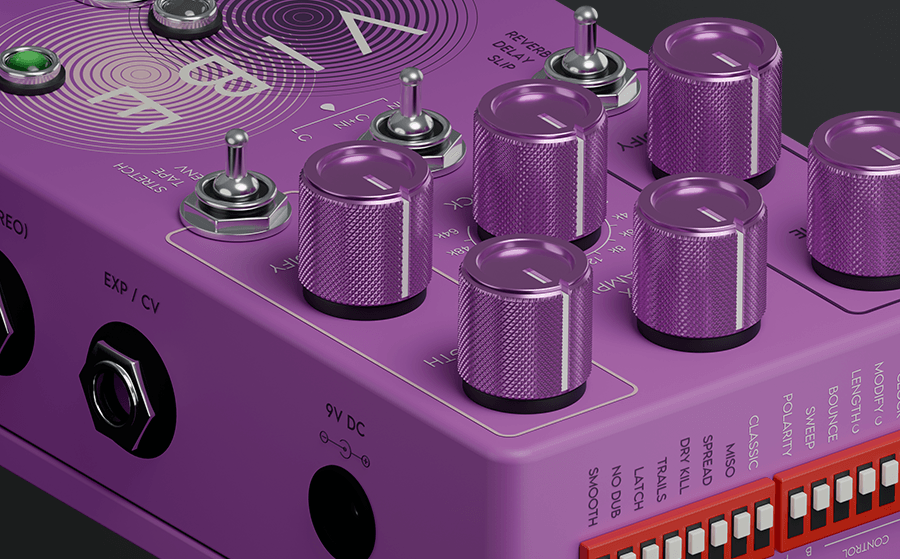
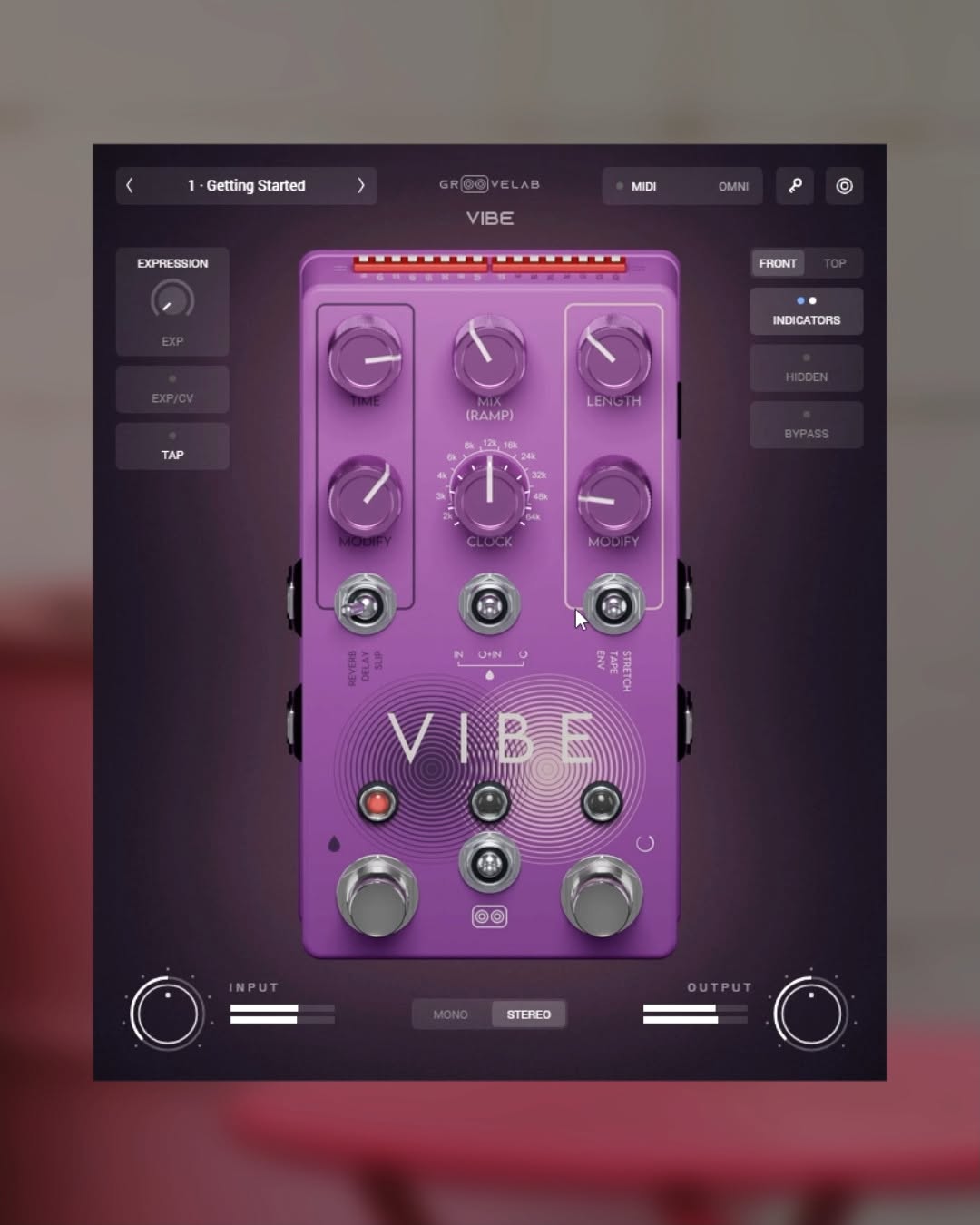
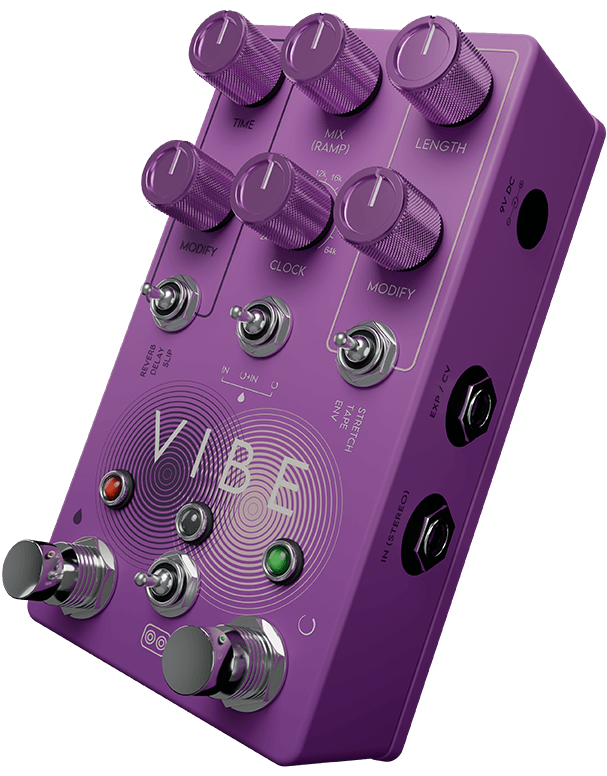
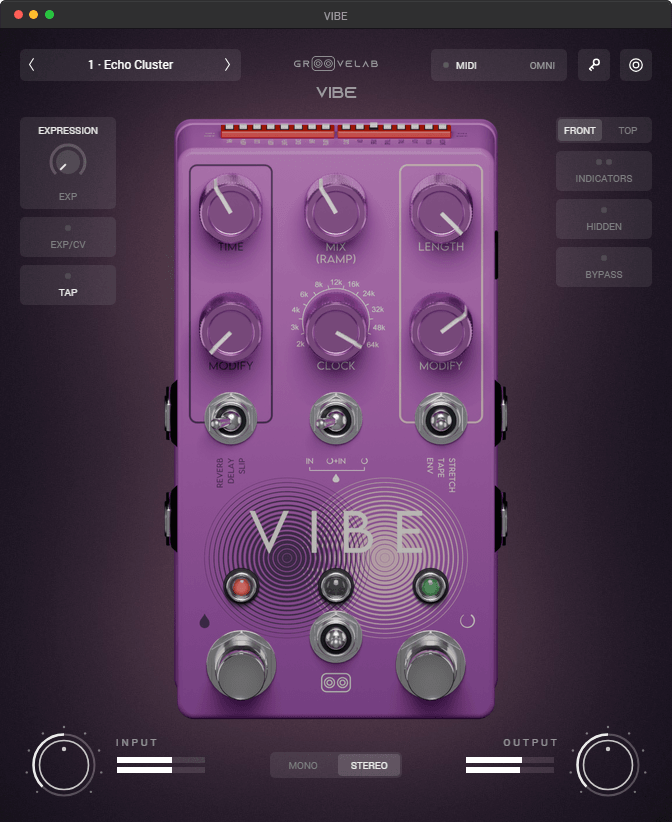
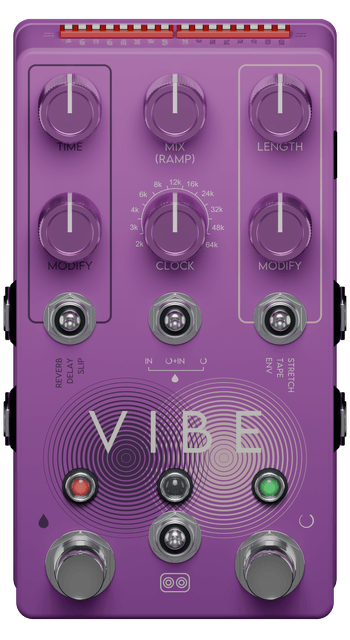
VIBE is laid out like the pedal it is modelled on: two channels side by side, with the controls that shape them both in the middle. On the left, the wet channel: TIME and MODIFY set the size and character of the reverb, delay or slip, chosen with the toggle beneath them.

On the right, the looper: LENGTH sets how much of the moment it holds, MODIFY changes how it plays it back, and its toggle picks ENV, TAPE or STRETCH.

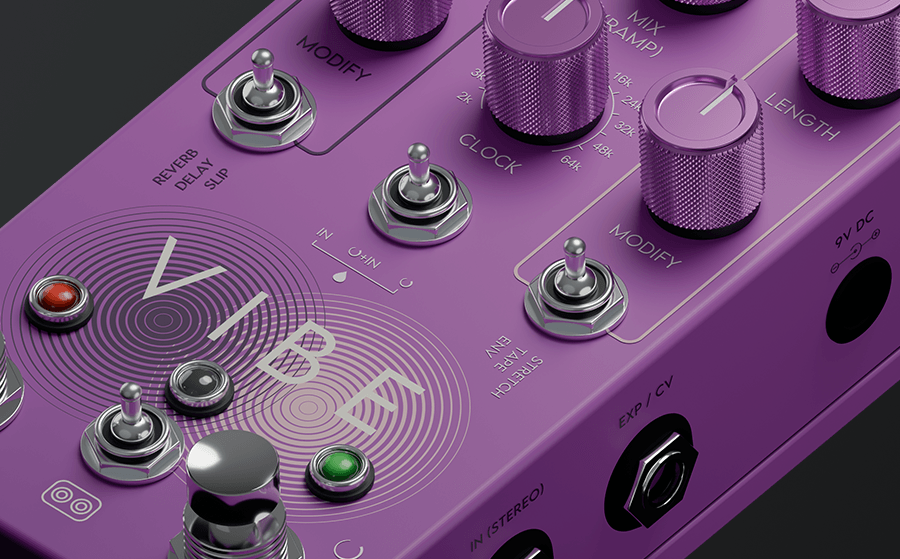
In the centre, MIX blends wet and dry, CLOCK sets the sample rate of everything, and the routing toggle decides what the looper hears. Each channel has its own footswitch, so you can let one breathe while the other sleeps.
Two Halves, One Mood

Most pedals do one thing to your sound. VIBE does two, and lets them talk. The wet channel turns notes into space: a reverb that hangs in the air, a delay that softens with every pass, a SLIP that lets the last few seconds slide out of time.

The looper catches what is happening and plays it back as part of the texture. Point it at your input and it remembers your phrase; point it at the wet channel and it loops the reverb itself, freezing a bloom of sound you can play over. Switch both on, and the room starts playing along.

VIBE knobs and toggles close-up
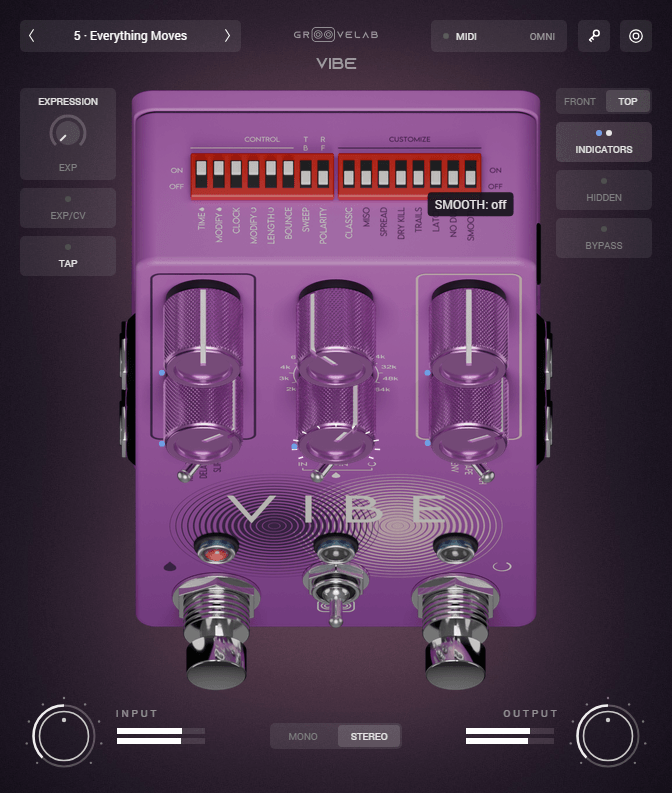
VIBE top view with DIP switches, hidden controls and indicators

Top View & Indicators

See What the Pedal Hides

The hardware asks you to remember which knobs have a secret second job. VIBE shows you. Click HIDDEN and the second layer of controls appears right on the faceplate, so you can reach the options the pedal keeps behind a button combination without memorising a single one.

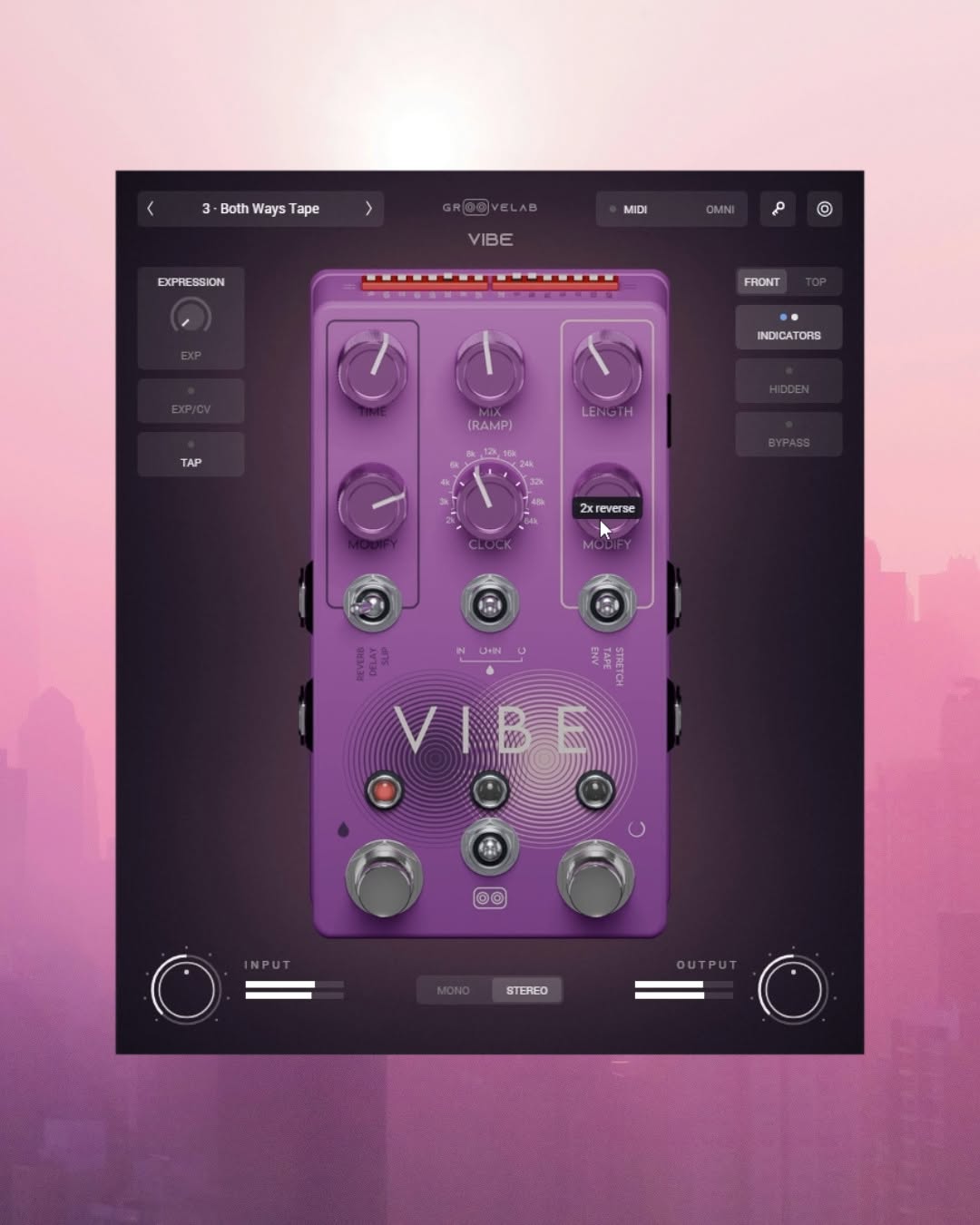
Click TOP to look down on the unit and reach the DIP switches along the back edge. INDICATORS draws what is happening on the controls themselves: where the ramp has moved a knob, which channel is listening, and the exact value of anything you hover.

Bend the Clock

CLOCK is the heart of VIBE’s character. It sets the sample rate the whole machine runs at, from 64k down to 2k. At the top it is clean and open; on the way down the repeats grow longer and darker, the reverb turns to dust and the loops start to crackle like an old memory.

Switch MIX to RAMP and the knobs start moving on their own, slowly drifting between where you set them and where they could be. Ride the EXPRESSION control instead, from your DAW or a pedal, and morph between two moods in a single gesture.

VIBE clock and mix controls close-up
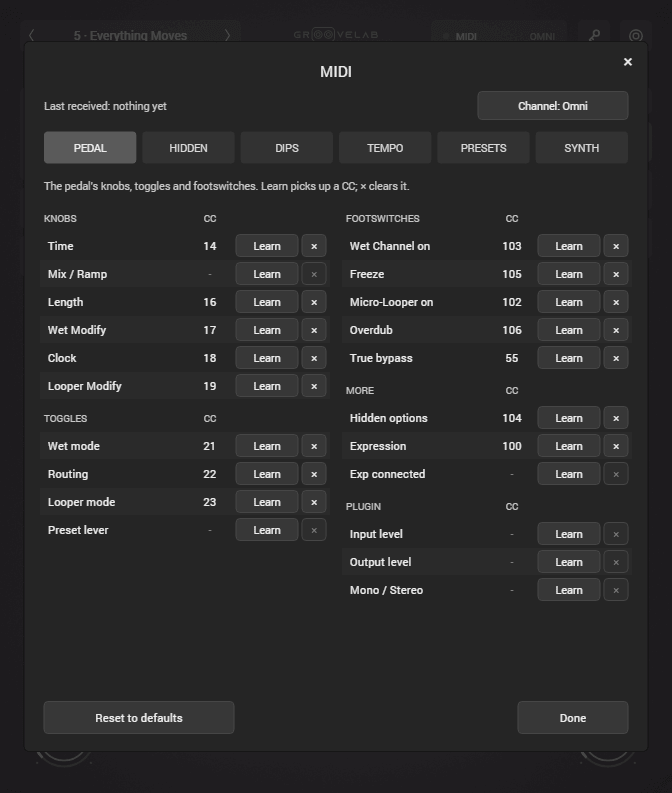
VIBE MIDI Learn panel

Control

MIDI (VST3)

Put the whole pedal under your feet. In the VST3 version, right-click any knob, toggle, DIP switch or footswitch to MIDI Learn it: time, length, clock, mix, tap, expression and both footswitches. Step through presets from your controller, or call any of them up directly with Program Change.

It ships with a factory CC map laid out like the hardware it grew from, so a controller already set up for the pedal on your board drives VIBE straight away. The MIDI panel shows the last message received, so you can check your rig in seconds.

Audio Demos

Hear the VIBE.

Flip between dry and VIBE at any moment. Same take, same spot.

Ambient Textures

Reverb, delay and micro-loops

0:00 / 1:05

Video Demos

See It in Action.

Straight from our Instagram.

VIBE system requirements

Specs

System Requirements

Pricing

Launch Sale

VIBE

$14.99 $44.99

Introductory launch price, no code needed. Lifetime updates included.

An ambient reverb, delay and micro-looper for your DAW.
Instant activation. No restrictions. No subscription.
Questions? Contact Us

Lifetime license Instant delivery Free updates